Koboshi
Study a language by talking with ChatGPT, Claude or another AI app, and when a word is worth keeping, say “save insinuación to Koboshi” in the chat. The word goes into your Koboshi vocabulary, and Koboshi brings it back in your quiz on a spaced-repetition schedule so you remember it. To set this up once, open Settings → Connections → Connect an AI app in Koboshi and press the button for your app.
Jump to your app: ChatGPT · Claude · Cursor and VS Code · terminal apps · Gemini
Our end-to-end runs so far cover ChatGPT, Claude and Claude Code. We have not run Cursor, VS Code, Codex or Gemini CLI end to end yet; their steps here follow each maker’s own instructions, with the same address.
How does studying in a chat become words you remember?
A chat is a good place to study. You can ask ChatGPT what a word means, ask Claude for five example sentences, or hold a whole conversation in the language you are learning. Menlo Ventures surveyed 5,031 U.S. adults with Morning Consult in April 2025 and found that “When Americans engage in learning or personal development activities”, 30% use AI “for learning languages” (Menlo Ventures, 2025-06-26).
The words you meet stay in the chat thread, and a thread has no schedule to bring them back. Copying them into flashcards by hand takes effort, as one Portuguese learner, who went on to build a flashcard tool of their own, wrote on Hacker News on 2026-04-13: “Spaced repetition works, but making the cards took manual effort each time. Most days I just didn’t do it” (Hacker News).
With Koboshi connected, the chat does that step. Say “save insinuación to Koboshi” and the word lands in your Koboshi vocabulary with its meaning and an example. Koboshi then brings it back in your quiz on a schedule set by FSRS, the review-timing method Anki also offers. Spacing reviews out helps: Kim and Webb’s 2022 meta-analysis of 48 experiments with 3,411 learners found that “spacing had a medium-to-large effect on second language learning” (Language Learning, 2022).
Where do you set it up?
Every app starts on the same Koboshi page. Open Koboshi, sign in, and go to Settings → Connections → Connect an AI app, or open it straight from this link: koboshi.app/learn#settings/words/connect. New to Koboshi? Signing in with Google or an emailed link creates your account.
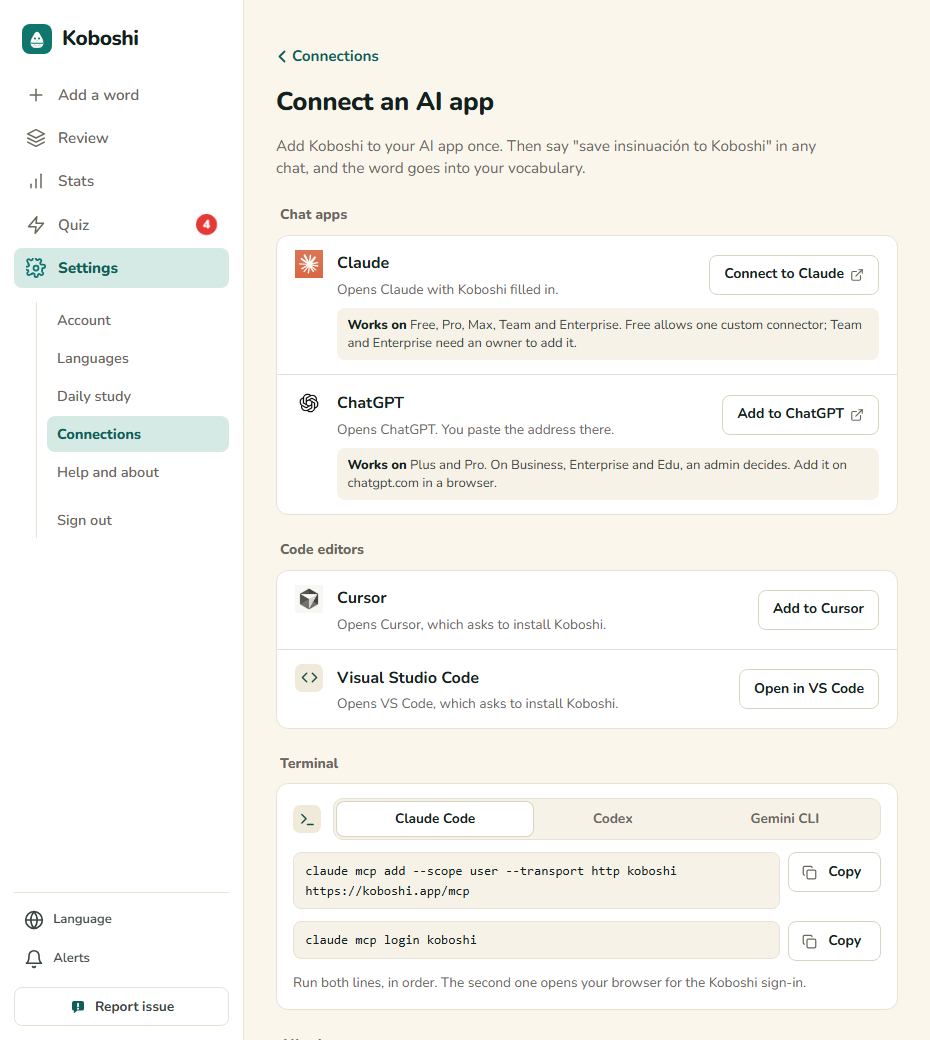
Each app has its own button. Chat apps open in a new tab, Cursor and VS Code open on your computer, and terminal apps get commands to copy.
ChatGPT
-
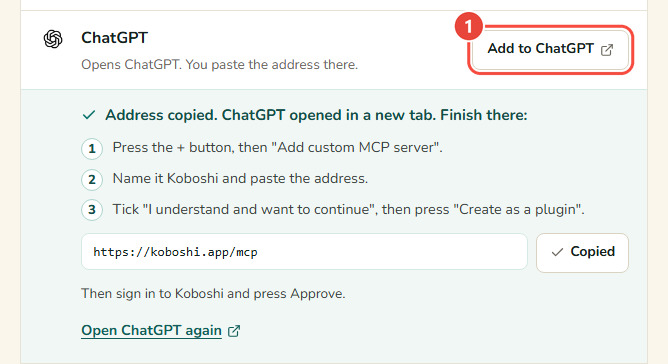
In Koboshi, open Settings → Connections → Connect an AI app and press Add to ChatGPT. Koboshi copies its address, opens ChatGPT in a new tab, and lists the steps left under the button.
-
In ChatGPT, press the + button, then Add custom MCP server.
-
Name it Koboshi and paste the address. Koboshi already copied it:
https://koboshi.app/mcp -
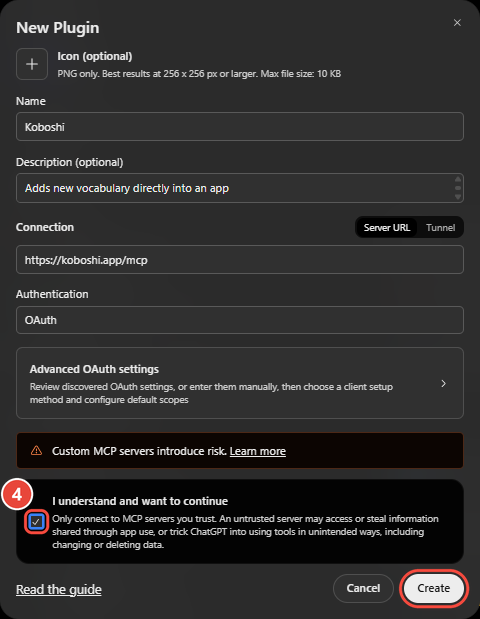
Tick I understand and want to continue, then press Create as a plugin. Some ChatGPT screens label this button Create.
-
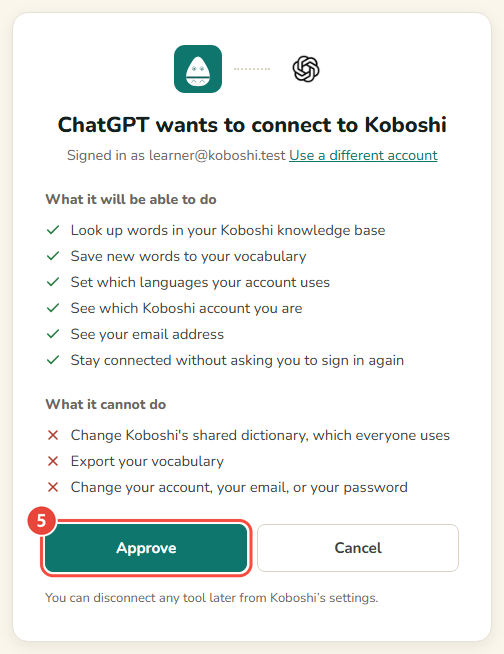
ChatGPT opens Koboshi. Sign in if asked, and press Approve.
-
In any chat, type @Koboshi and ask it to save any word to Koboshi.
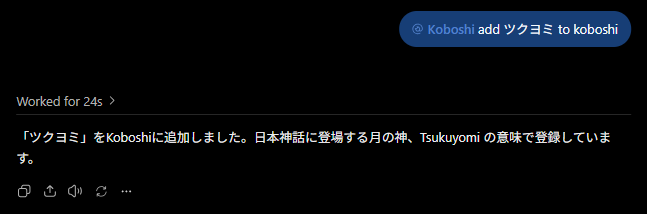
It worked if the ChatGPT row in Koboshi’s Connect an AI app page says Connected, with a date. In our own run on 2026-09-29, ChatGPT saved ツクヨミ (Tsukuyomi) to Koboshi in 24 seconds.
If your screen looks different:
- ChatGPT shows Add at the top right, with no + button. Press Add, then New Plugin. The form is the same.
- The menu has no Add custom MCP server. Some ChatGPT plans and workspaces leave it out, and some need Developer mode switched on first. OpenAI explains both on its Developer mode help page.
- You closed the ChatGPT tab too early. Press Open ChatGPT again under the ChatGPT row in Koboshi. The address is there with Copy.
Claude
-
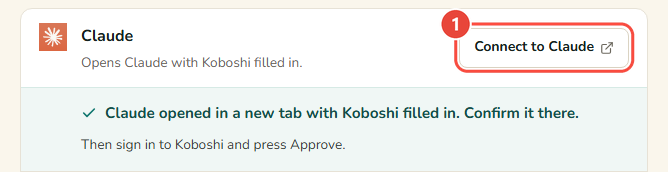
In Koboshi, open Settings → Connections → Connect an AI app and press Connect to Claude. Claude opens in a new tab with Koboshi’s name and address already filled in.
-
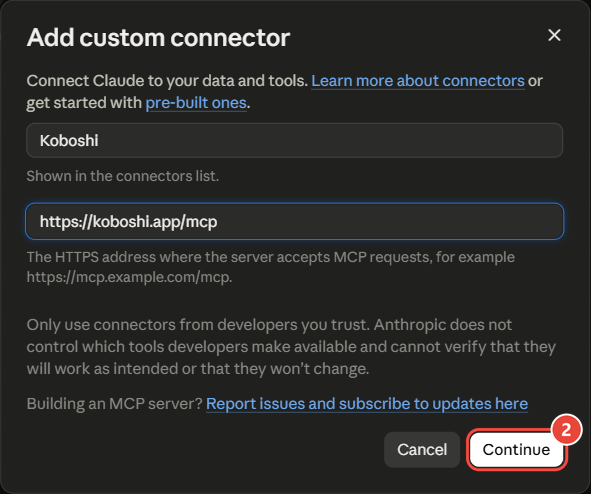
In Claude, check that the name is Koboshi and the address is https://koboshi.app/mcp, then press Continue. Claude also notes that the details came from a link.
-
Leave the sign-in settings Claude detected as they are, and finish with Add.
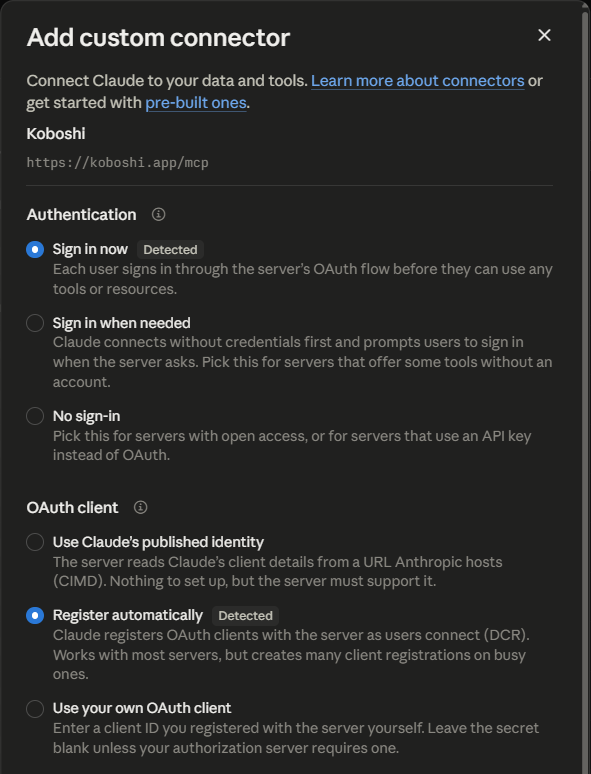
-
Press Connect next to Koboshi, sign in to Koboshi if asked, and press Approve.
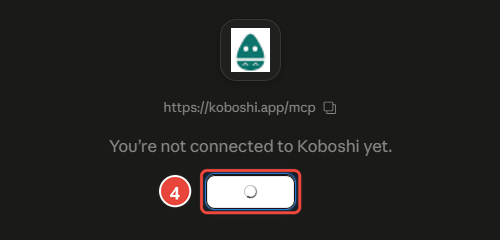
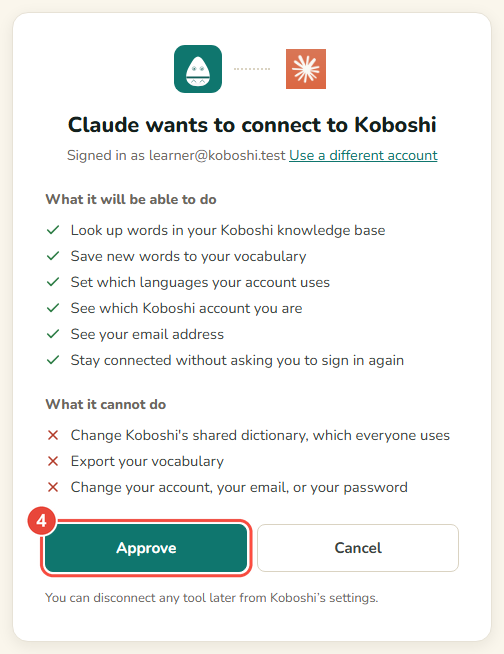
-
In a chat, press + → Connectors and switch Koboshi on. Then ask Claude to save any word to Koboshi.
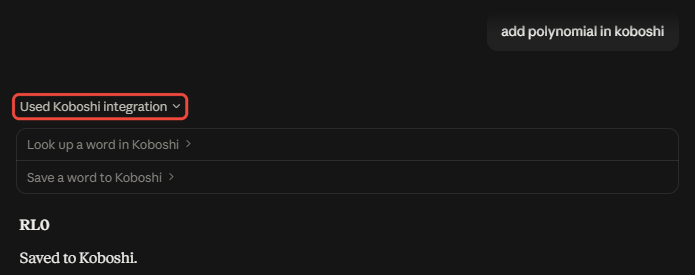
It worked if the Claude row in Koboshi’s Connect an AI app page says Connected, with a date.
If your screen looks different:
- You are signed out of Claude. Claude asks you to sign in first, then shows the filled-in window.
- You are on Claude’s free plan. It allows one custom connector, which is enough for Koboshi (Claude’s help page).
Cursor and VS Code
Both run on your computer, so start in Koboshi on that same computer.
- Open Settings → Connections → Connect an AI app and press Add to Cursor or Open in VS Code.
- Cursor or VS Code opens and asks to install Koboshi. Press Install.
- The first time you use Koboshi there, sign in to Koboshi and press Approve.
If Cursor or VS Code stays closed, the app must be installed on this computer. You can also paste https://koboshi.app/mcp into its MCP settings.
Terminal apps
Claude Code, Codex and Gemini CLI connect with one or two commands. Koboshi’s Connect an AI app page lists them under Terminal, each with Copy. The commands and the checks are in Connect Koboshi to Claude Code, Codex and Gemini CLI.
Gemini
Google lets only some people add an app like Koboshi to Gemini: people 18 or over in the US, signed in with a personal Google account, using Gemini in English (Google’s help page, read 2026-10-12).
What do you say in the chat?
Ask in plain words. Koboshi’s Settings page suggests three:
- “save insinuación to Koboshi”
- “look up 積ん読 in Koboshi”
- “save every new word from this chat to Koboshi”
In ChatGPT, start the message with @Koboshi. For a word new to Koboshi, your AI writes the meaning, and Koboshi checks it before other learners see it.
What can a connected app do in your account?
It can look up words in your Koboshi knowledge base and save words to your vocabulary, including another meaning of a word you already saved and the sentence a word came from. For a new account it also sets the account’s languages and records the month and year you were born. ChatGPT and Claude also ask to see which Koboshi account you are and your email address, and to stay connected without asking you to sign in again; Koboshi’s Approve page lists what each app asks for before you approve. It cannot change Koboshi’s shared dictionary, delete or export your words, or change your account, your email or your password. To disconnect an app, press Disconnect on its row in Connect an AI app.
App names and icons belong to their owners. Koboshi is independent and is not made or endorsed by any of them.
Steps checked on 2026-10-07 against Koboshi and the help pages of OpenAI, Anthropic, Google, Cursor and Microsoft.