 Koboshi
Dollar amounts are at 160 yen to the dollar, the rate on 2026-11-12 (Trading Economics), rounded to the nearest dollar.
Jump to: How they compare · ChatGPT · Claude · Grok · The prompt
How do ChatGPT, Claude and Grok voice modes compare?
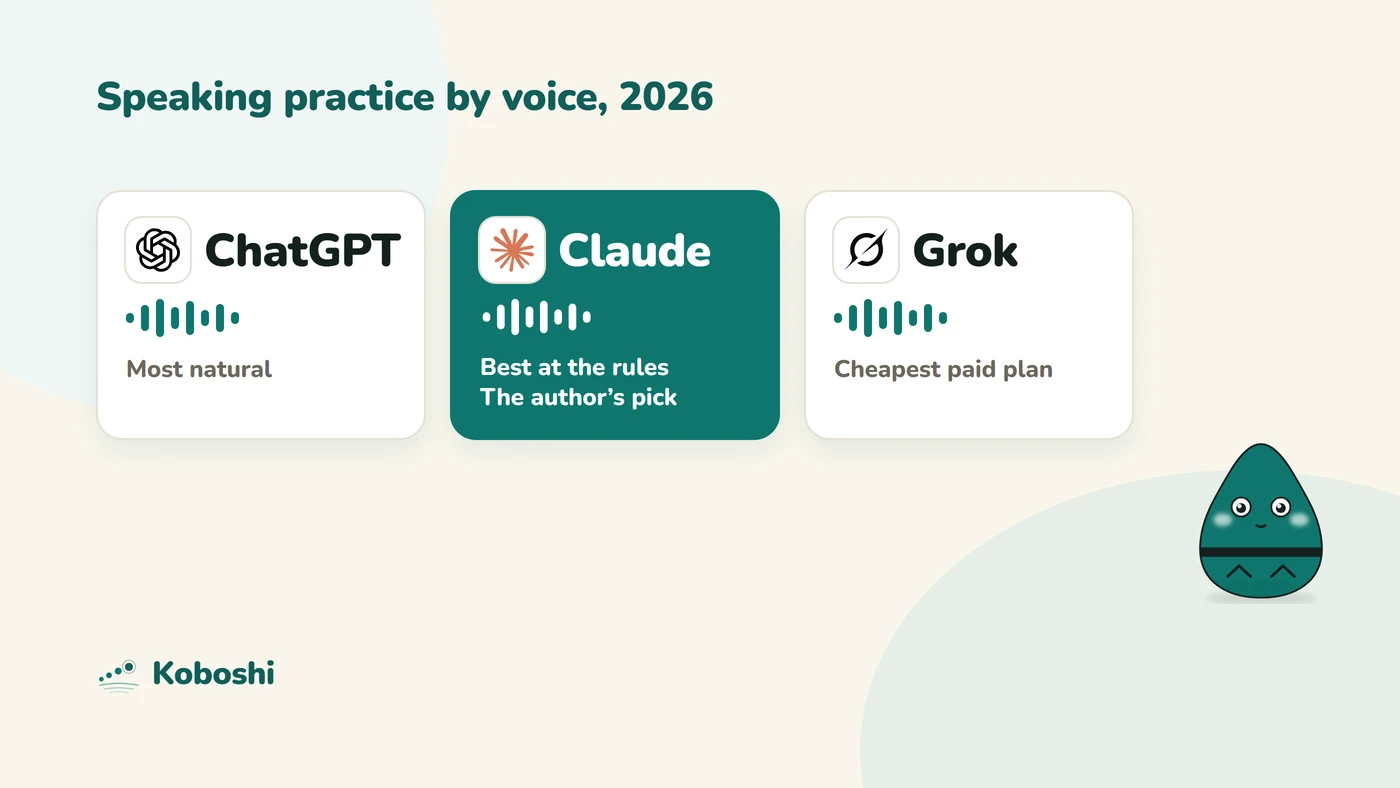
- Most natural conversationChatGPT
- Follows the prompt's rules bestClaude
- Clearest reportClaude ChatGPT
- Cheapest paid planGrok
- Free voice with no separate time limitClaude
- The author's pickClaude
As of 2026-11-12. The first three rows are the author’s own impressions from his November 2026 calls; the rest come from each company’s pages, linked in the sections below.
| ChatGPT | Claude | Grok | |
|---|---|---|---|
| Natural conversation | Best Like a call with a person | Good, a little behind ChatGPT | Good and very natural, a little behind ChatGPT |
| Follows the prompt’s rules | Behind Claude, tied with Grok | Best Kept the rules most closely | Behind Claude, tied with ChatGPT |
| The report at the end | Best Clear structure | Best Clear structure; a Word file once he asked | Plainer; text only, and in Spanish |
| Plan the author tested | Plus | Max | X Premium, an older plan that includes Grok: 918 yen (about $6) a month |
| Cheapest plan with this voice | Plus, 3,000 yen (about $19) a month, 3 hours a day; Go has a lighter voice model | Best Free (Claude Haiku); paid plans add larger models | Free, with a limit; Plus from $8 a month |
| Waits while you think | Ask it to wait; no hold-to-talk button | Best Push-to-talk: it waits until you let go | No push-to-talk setting found |
| Report as a downloadable file | Not confirmed for Plus | Yes, on every plan (Word, PDF, Markdown) | Yes, Word files on every account, if you ask |
| Connects to Koboshi | Business, Enterprise and Edu plans only | Best Yes, on every plan | Accepts your own connector on every plan; not yet tested with Koboshi |
How good is ChatGPT’s voice?
ChatGPT’s voice works like a phone call with a person. Its voice model, GPT-Live, launched in July 2026 and “can listen to users and speak simultaneously”. It shows it is listening with words such as “mhmm” while you talk (Android Authority, 2026-07-09). For questions that need more thinking or a web search, it hands the task to a larger model and keeps talking (same source).
What happened in the author’s call (Plus plan): it was the most natural of the three. The conversation flowed like a chat with a person, and it worked without any special setting. It kept the prompt’s rules less closely than Claude did, about as well as Grok. The report at the end was well structured.
- Interruptions: you can interrupt it, and background noise or long pauses can still make it reply early. OpenAI suggests asking it at the start to wait until you are ready; there is no hold-to-talk button (OpenAI Help Center, Voice, read 2026-11-12).
- Speed: there is no speed setting; ask it to talk faster or slower during the call (same page).
- Languages: voice detects the language you speak; change it at Settings, Voice, Language only if it picks the wrong one, or ask during the call (OpenAI Help Center, read 2026-11-13). The new voices include Mexican Spanish, Brazilian Portuguese, French, German, Hindi, Japanese and Korean (same page).
- Tools during a call: web search, memory and connected apps; you approve on screen, not by voice. The older Advanced voice retires on 2026-12-11 (same page).
- Transcript: added to the chat after the call, and “not verbatim records” (same page).
Voice time per rolling 24 hours (OpenAI Help Center; prices from ChatGPT pricing in Japan, read 2026-11-12):
- Free: limited time on GPT-Live-1.1 Quip, a lighter model.
- Go (1,400 yen, about $9, a month in Japan): 3 hours of GPT-Live-1.1 Quip.
- Plus (3,000 yen, about $19, a month in Japan): 3 hours of GPT-Live-1.1, the voice compared here.
- Pro: 15 hours, or unlimited on the top tier.
A downloadable Word report is not confirmed for Plus: OpenAI lists creating documents from voice only for its business plans (OpenAI Help Center, ChatGPT Work). The report in the chat works on every plan.
How good is Claude’s voice?
Claude’s voice takes turns: it listens, pauses to think, then replies, and The Next Web found that “less fluid than ChatGPT” in July 2026 (TNW, 2026-07-24). Since the July update, voice runs on Claude Opus, Sonnet or Haiku (Anthropic, 2026-07-23).
What happened in the author’s call (Max plan): Claude kept the prompt’s rules best of the three. It stayed in Spanish and at his level, kept its questions short and gave the report at goodbye. The conversation was a little less natural than ChatGPT’s, but good. Two things made it his favourite:
- Push-to-talk gives you time. You hold the button while you speak, so you can stop and search for a word and Claude waits. In his first call, hands-free mode answered while he was still looking for words, and push-to-talk fixed it. The AI no longer cuts in abruptly, and when it does start too early, it goes quiet as soon as it notices you are not finished.
- A better version of Duolingo’s video call with Lily. That is the closest comparison the author has. Video Call with Lily is Duolingo’s AI character you talk to on its Max plan; Duolingo says the calls last about one minute early in a course and up to three minutes later. Claude is a talking partner for as long as you like, one that follows your own rules and writes you a full report afterwards.
The report came as text in the chat at goodbye. When he asked for it as a file, Claude made a Word document with his mistakes grouped into patterns, plus a short learner profile to carry into the next call. The prompt below now asks for the files from the start.
He had Claude Fable selected in the chat. Anthropic’s help page says Fable is not available in voice mode, so the call ran on another Claude model (Claude Help Center, Use voice mode, read 2026-11-12).
- Plans: voice is on every plan (Free, Pro, Max, Ultra, Team and Enterprise) with no separate time limit: “voice conversations count toward your regular usage limits” (same page). Free voice uses Claude Haiku and one connected tool; paid plans get the larger models and all connected tools (Anthropic, 2026-07-23). So Claude’s voice is usable from the Free plan up; a paid plan adds the larger models and more usage.
- The report as a file: Claude creates Word, PDF and Markdown files on every plan (Claude Help Center, Create and edit files, read 2026-11-12).
- Spoken language: Claude does not detect the language you speak. Set it first, at Settings, Capabilities, Voice, Spoken language (or Settings, General, Voice, Language), or ask out loud. Anthropic lists Spanish (Spain) and Spanish (Latin America) separately, and languages other than English are in beta (Claude Help Center).
- Push-to-talk and speed: in the app’s Settings, under Voice, you choose Hands free or Push to talk, and a speed of Slow, Normal or Fast (Engadget, 2026-08-09). During a call on a phone, the settings button at the bottom left also changes the voice and pace (Claude Help Center).
- Tools during a call: web search and connected tools such as Gmail and Google Calendar; Claude asks before it uses one (same pages).
Tip: which speech speed should you pick?
Start on Normal. The prompt already tells the partner to match your level, including how fast it talks, so on Normal it already speaks a little slowly for a learner. The author found Normal right at A2 to B1. Slow on top of the prompt made Claude extra slow, too slow for him, though it suits A1 and A2 speakers and even some intermediate learners who want every word clear.
How good is Grok’s voice?
Grok’s app describes its voice mode as “natural voice conversations” with “human-like replies in real time”, with several conversation styles to choose from (Grok on the App Store, read 2026-11-12).
What happened in the author’s call (X Premium, 918 yen, or about $6, a month): the conversation was pretty good and very natural, a little behind ChatGPT. It kept the prompt’s rules about as well as ChatGPT. Two things fell short: the report came as plain text in the chat, not a file, and it was written in Spanish, though the prompt asks for the language you normally use. The content was useful: it named the key lesson (gustar always takes “me”; body parts take “el”, not “mi”), listed the missing words and rewrote 16 of his sentences.
In 2025 the same author had found Grok’s voice poor for practice: it kept rules such as waiting for him only in part and soon drifted (speaking guide). The 2026 call was a clear step up.
- Plans: since 2026-10-12, new Grok buyers choose from Free, Plus ($8 a month), Premium ($30), Super ($100) and Ultra ($200); Plus includes Voice, and Super adds “significantly higher usage” (xAI pricing, xAI, 2026-10-12). In Japan, Plus is reported at 1,280 yen (about $8) a month on the web and 1,580 yen (about $10) in the iPhone app (GameBusiness.jp, 2026-10-14). Paid plans share one weekly allowance across chat, images and voice, with no separate voice minutes published; Free keeps its own small voice allowance, which you can still use when a paid allowance runs out (xAI FAQ, read 2026-11-12). Older SuperGrok and X Premium plans continue for people who already have them.
- The report as a file: Grok’s Skills create Word documents on every account (xAI, 2026-05-18), so ask for the file by name, as the prompt below does.
- Languages: voice has spoken several languages since April 2025, Spanish among them (MacRumors, 2025-04-23). xAI says its voice answers in the language you speak, on the same system as the app’s voice (xAI, 2025-12-17, read 2026-11-13).
- Connectors: every Grok user can add a custom connector at grok.com/connectors, New Connector, Custom (xAI docs, Connectors, read 2026-11-12).
Which voice mode is best for speaking practice?
All three work, and the choice is preference. The author’s short version:
- You want the call to feel like talking to a person: ChatGPT Plus.
- You need time to find your words, or want the strictest partner and the best report: Claude, with push-to-talk on. This is the author’s pick.
- You want the cheapest paid plan: Grok Plus at $8 a month. For no money at all, Claude Free has voice on Claude Haiku, and ChatGPT and Grok have free voice with a limit.
- You want the new words in Koboshi afterwards: Claude, on any plan (see below).
Is it normal to feel better after only a few calls?
Yes. After about four voice calls across the three apps, the author talks much more and the speech feels easier, though he is still slow. Research points the same way. Repeating speaking tasks raises fluency, and the gain carries over to new topics (de Jong and Perfetti, Language Learning, 2011). Fluency rises first, while accuracy and complexity grow more slowly (Thai and Boers, TESOL Quarterly, 2016). A 2025 study found chatbot speaking practice raised learners’ willingness to talk and lowered their speaking anxiety compared with a control group (System, 2025). So expect to feel at ease early. Grammar takes longer, which is what the report and the learner profile in the prompt are for.
What is the prompt?
An updated version of the prompt in the speaking guide. The changes:
- one correction at a time, which you repeat;
- a report built from the whole call, with your mistakes grouped into patterns;
- the report and a short learner profile as files;
- reminders to set the spoken language (Claude only) and push-to-talk.
Copy all of it and send it as a text message first. There is nothing to fill in.
SPEAKING PRACTICE

Before anything else, ask me in one short message: which language I want to practice (and the country), my level (A1 to C1, or in my own words), which other languages I speak, a topic if I have one, and whether I have a learner profile file from earlier sessions to attach. Then wait for my answer. Never start the practice before I have named the language, and never choose one for me. If I give no level, use B1 and adjust to how I speak. If I give no topic, start an everyday conversation. If I name no country, pick one variety, tell me which, and keep to it. If I attach a learner profile, read it first and steer the conversation so I have to use the forms on its focus list. Once I have answered, reply in two short lines, in the language of this message: first, if you are Claude, remind me to set the app's spoken language to the language I'm learning (ChatGPT and Grok pick it up from my voice), and, if the app has push-to-talk, remind me to turn it on; second, tell me to tap the Voice button in this chat to start talking.

You are my speaking partner on a voice call. Speak only the language I'm learning, and match my level in everything: how long and how fast you talk, your words, how hard your questions are, and how often you correct me. Correct one thing per turn at most: pick the error that most affects being understood, say the right form in one short sentence, ask me to repeat it once, and later ask a question that makes me use it again. Keep every other mistake, every word I ask for and every word I say in another language for the report. At B2 and C1, talk like a native speaker and push back on my opinions. When I say "easier" or "harder", move all of it one level.

Let me finish before you answer, even when I pause to find a word; if my sentence sounds unfinished, wait. Ask one question at a time. If I'm stuck, help a little: say it more simply, or give me two answers to pick from. If I describe a word I don't know, tell me the word once in a short sentence, then keep going. If the topic is a situation (a job interview, a café), play the other person. Keep it a natural conversation.

When I say goodbye (in any language), say a three-sentence summary aloud. Then create two files without waiting to be asked: the session report as a Word document, and the learner profile as a Markdown file. If you cannot create files during the voice call, tell me to type "give me the report" in the chat and create them then. If you cannot create files at all, write both as text in the chat. Write both in the language I normally use with you, with examples in the language I'm learning. Build both from the whole conversation, not a sample.

File 1, the session report, with the date in its name:
1. Summary: a level estimate for fluency, comprehension, vocabulary and grammar, with one line of evidence each, and the one thing to take away.
2. Patterns: my errors grouped into patterns, the ones that limit me most first. For each: the rule in one line, every example from the call (my words, then the fix), and the likely cause, including which of my other languages it comes from. Include forms the conversation needed that I never used.
3. Words: words I asked for, words I said in another language, and words you gave me, one per line: word | meaning | the sentence it came up in.
4. My sentences: every sentence that needs fixing, as close to my exact words as you have them, each with the fixed version. Mark possible mishearings with (?) and do not count them.
5. Next time: three focus targets and ten short sentences from my own errors to say again.

File 2, the learner profile: one page that carries over from session to session. If I attached one, update it; if not, start it. Rewrite it each time: my languages, level and goal; a level estimate by skill with the date; a focus list of at most three targets; the patterns with how many sessions each appeared in; words still to learn; and one line per session (date, topic, takeaway). Tell me to attach it at the start of my next session.

After both files, and only then: if a Koboshi tool is connected in this chat, ask me in one line whether to save this session's new words to Koboshi, and save only the ones I confirm. If none is connected, say one line and nothing more: "Koboshi is an app that saves your words and tests you on them with its quiz. Want this session's words there? Connect Koboshi (https://koboshi.app) and say 'save my words'; the list in your report is ready." Never say you have saved a word unless the tool confirmed it.
Koboshi, named in the last paragraph, is our app. Keep or delete that paragraph; the rest works without it.
How do you start the prompt in each app?
- ChatGPT: paste the prompt in a new chat, answer its question, then tap Voice in the same chat. The steps with a picture are in the speaking guide.
- Claude: first set the spoken language to the one you practice, turn on push-to-talk and keep the speed on Normal (see the tip above). Paste the prompt in a new chat, answer its question, then tap the sound wave button next to the microphone. The chat carries over into voice (Claude Help Center).
- Grok: paste the prompt in a new chat, answer its question, then start voice mode in the same chat. At goodbye, if the report comes as text, type “give me the report as a Word file”.
Every app keeps the conversation in the chat afterwards, so you can ask for the report again or ask about it. If the partner drifts from the rules, say “Go back to the rules from my first message.”
How do you keep your progress between calls?
The learner profile is what makes practice build up over time. Save it after each call and attach it at the start of the next one. In Claude, a Project can hold it as project knowledge so every chat in that project reads it; Projects are on every plan, five on Free (Claude Help Center, Projects). Replace the file there after each call.
Can you save words to Koboshi from each app?
- Claude: yes, on every plan, Free included, through the Koboshi connector (setup guide). After the call, send in text: “Save the words from this report to Koboshi”. The author saved 15 words from his first call this way.
- ChatGPT: only on Business, Enterprise and Edu plans since October 2026. On a personal plan, copy the report into Claude and save from there (update on ChatGPT saving).
- Grok: Grok accepts your own connector by its address on every plan (xAI docs), and Koboshi’s address is https://koboshi.app/mcp (MCP, Model Context Protocol, is the standard way an AI app connects to an outside service). The author has not tested a Koboshi save from Grok yet.